
WinWin App: Download Official App for Android (APK) and iOS
Players in Ethiopia can carry the whole WinWin casino in their pocket: slots, table games, sports betting and the cashier work on most modern Android phones and iPhones. The WinWinBet App installs in a few minutes, takes about 50 MB of storage and runs on Android 7.1 or iOS 9.0 and higher.
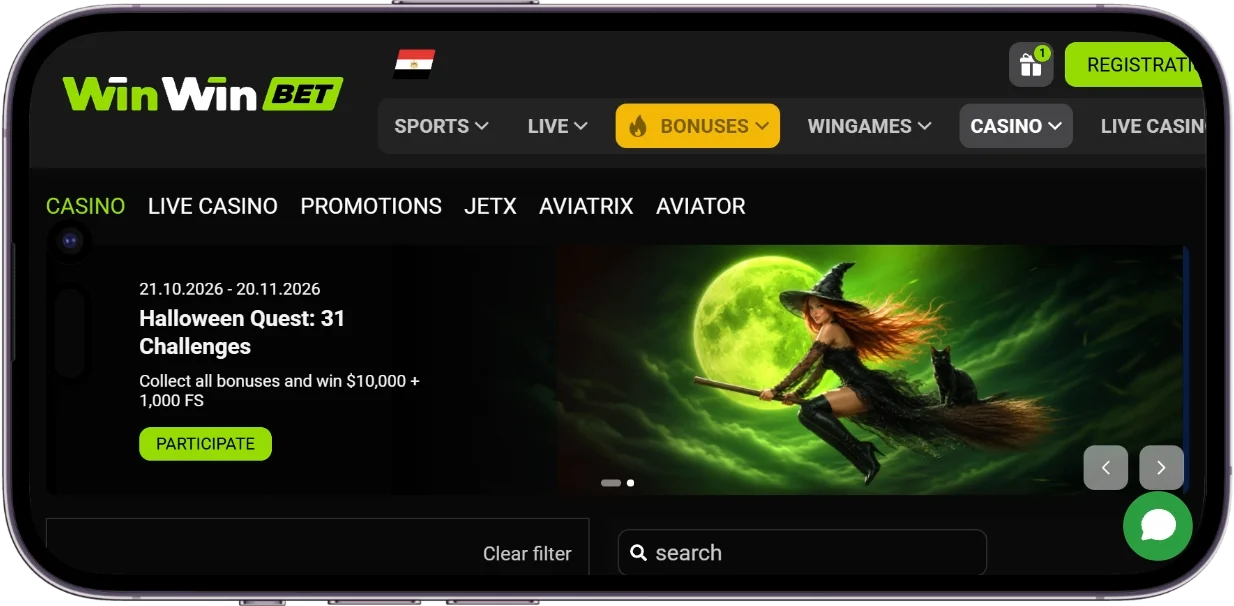
How to download Win Win Bet App
The only safe source of the installer is the official website, which offers the right version for each device. Android users get an APK file directly from the site rather than from Google Play. iPhone and iPad owners can choose between the App Store version and a web app added to the home screen through Safari.
The short version of the process looks almost the same on every phone. Open the WinWinBet site in the mobile browser, tap the download button for your operating system and confirm the installation. After the first launch, log in with an existing account or create a new one, and the casino is ready to use.
Install the WinWinBet APK on Android
Android blocks files from outside Google Play by default, so the installation needs one extra permission. This is a standard security measure that applies to every installer from a website, not only to casino software. The WinWinBet download for Android takes about 50 MB and runs on devices with Android 7.1 or higher.
Allow installs from unknown sources
On recent Android versions, the permission is given to a specific app, usually the browser that downloads the file. Open Settings, go to Apps or Security, find the option called "Install unknown apps" and switch it on for Chrome or the browser you use. On older devices, the same setting is a single toggle called "Unknown sources" in the Security menu.
Download and install the APK file
- Open the official WinWinBet website in your phone's browser.
- Tap the Android download button and wait until the APK file is saved.
- Open the Downloads folder or the download notification and tap the file.
- Tap Install and confirm the permission request if Android asks for it.
- Wait for the installation to finish, then tap Open and log in.
The app icon appears on the home screen and in the app drawer right after installation. If the download button does not respond or the file will not open, check the free storage and the unknown sources setting first. The section on download issues below covers the most frequent errors in more detail.
Install WinWinBet on iPhone and iPad
Apple devices have two options, and both give access to the same account, balance and games. The App Store version installs like any other iOS app, while the web app is added from Safari and takes almost no storage. Players can download WinWinBet on any iPhone or iPad running iOS 9.0 or higher.
Download from the App Store
- Open the official WinWin Bet website in Safari and tap the iOS download button.
- On the App Store page that opens, tap Get and confirm with your Apple ID, Face ID or Touch ID.
- Wait for the download to finish, open the app and log in or register.
Add WinWinBet to the home screen
The web app suits players who prefer not to install anything from the App Store or who are short on storage. It opens from its own icon, in a full screen window without the usual browser bars. Updates happen on the server side, so there is nothing to reinstall when a new version is released.
- Open the official website in Safari.
- Tap the Share icon at the bottom of the screen.
- Scroll down the menu and choose Add to Home Screen.
- Tap Add, then launch WinWinBet from the new icon and log in.
System requirements for WinWinBet
The WinWinBet mobile App runs on most phones and tablets that are still in daily use, including budget models. The key requirements are the operating system version and enough free storage for the installation. A stable mobile data or Wi-Fi connection matters as well, because games and odds load in real time.
| Parameter | Android | iOS |
|---|---|---|
| Minimum OS version | Android 7.1 or higher | iOS 9.0 or higher |
| Installation source | APK file from the official website | App Store or web app via Safari |
| App size | About 50 MB | About 50 MB for the App Store version |
| Free storage | Extra space for updates and cache | Extra space for updates and cache |
| Internet connection | Stable mobile data or Wi-Fi | Stable mobile data or Wi-Fi |
Fixing common download issues
Most installation problems have simple causes and take a minute to fix. If Android shows "App not installed", the usual reason is too little storage or an older copy of the app that conflicts with the new one, so delete the old version and try again. A warning that the file may be harmful appears for every installer from outside Google Play, and it is safe to continue when the WinWinBet APK comes from the official website.
A download that stops halfway usually points to an unstable connection, so switching from mobile data to Wi-Fi often helps. If the browser blocks the file, check that the unknown sources permission is enabled for that specific browser. On an iPhone, if the App Store page does not open from the website, try again in Safari or use the home screen web app instead.
Sign up in WinWinBet
A single account works on every device, so players who already registered on the website just log in with the same details. New players can register directly in the app: tap the registration button, fill in the requested details and set a strong password. Many players in Ethiopia simply call it the WinWin App, and its login screen accepts the same credentials as the desktop site.
Features of the WinWin Betting App
The app gives access to the same account, balance and game catalogue as the desktop version of WinWinBet. Menus are adapted to small touchscreens, with the lobby, search, promotions and the cashier close at hand. Everything from registration to withdrawal can be done inside the app without switching to a browser.
Casino games on mobile
The casino lobby brings slots, table games and other titles from the main site to the phone screen. Games adapt to the smaller display and keep the same rules as on desktop. Because the app uses the same account, the balance and bonus funds are shared between all devices.
Sports and live betting
Besides the casino, the app includes the WinWinBet sportsbook with pre-match and live markets. Players can browse upcoming events, add selections to the bet slip and follow matches while they are in progress. The odds update in real time, which makes a stable internet connection especially important for live bets.
WinWinBet bonuses for app users
New players who register through the App can claim the welcome offer right after their first steps in the casino. Bonus funds are credited to the same account, so they can be used in the app, on the website or on both. Each offer comes with its own terms, including wagering requirements and a validity period, and reading them before activation avoids surprises.
Welcome bonus and free spins
The WinWin Bet welcome package reaches up to ETB 516,684 and includes 150 free spins. To claim it, players register, choose the offer and make a qualifying deposit as described in the bonus terms. The wagering requirements, validity period and games eligible for the free spins are listed in the bonus terms on the site.
Deposits and withdrawals at WinWinBet
The cashier in the mobile App works the same way as on desktop, and all transactions are tied to the player's account. The minimum deposit is ETB 200, which keeps the entry point low for new players. Payment options focus on digital wallets and cryptocurrency, which suits players who already use these services.
Payment methods for Ethiopian players
WinWinBet supports MoneyGO, BybitPay, BinancePay and direct cryptocurrency payments. MoneyGO is a digital wallet, while BybitPay and BinancePay let players pay from their exchange accounts without copying wallet addresses. Direct crypto transfers require the correct wallet address and network, so it is worth double-checking both before sending funds.
How to make a deposit
Open the cashier from the account menu, choose Deposit and select a payment method. Enter the amount, starting from ETB 200, and follow the instructions of the chosen service to confirm the payment. Once the payment is confirmed, the balance updates and the funds are ready for games or bets.
How to withdraw winnings
Withdrawals are requested from the same cashier by choosing Withdraw, the payment method and the amount. Before the first payout, WinWinBet may ask for identity verification, which is a standard step for licensed operators. Processing time depends on the method, and the request status can be followed in the transaction history.
WinWin App or mobile site
Both options give access to the same games, bonuses and payment methods, so the choice comes down to convenience. The installed app opens from the home screen in one tap and can remember the login, which saves time during short sessions. The mobile site needs no installation or storage and works in any browser, including on phones older than Android 7.1 or iOS 9.0.
For regular play, the app is the more comfortable choice, especially on Android where it runs as a separate program. The mobile site suits players who play occasionally, share a device or have very little free space. Many players use both, since the account and balance stay the same everywhere.
Pros and cons of the WinWinBet App
Installing the app makes sense for most players, but it has a few trade-offs worth knowing in advance. None of them is a dealbreaker, yet they help to decide between the app and the browser. The lists below sum up what players gain and what to keep in mind.
- Quick access from the home screen without typing the site address
- Interface adapted to touchscreens and smaller displays
- The same account, balance and bonuses as on the website
- Support for Android 7.1 and iOS 9.0 or higher, which covers most phones in use
- Full cashier with MoneyGO, BybitPay, BinancePay and cryptocurrency
- Android installation requires allowing unknown sources
- The Android version is not in Google Play, so new versions are installed from the website
- The app takes about 50 MB of storage
- Devices below the minimum system versions are not supported
WinWinBet APK safety and updates
Security starts with the source of the file. An installer from the official website contains the original code, while copies from file-sharing sites or messengers may be modified and should never be installed. Players can also check that the app requests only the permissions it needs to run.
Licence and data protection
WinWinBet is owned and operated by Alasia Soft B.V. and holds a Curaçao licence, number OGL/2024/433/0399. Licensing means the operator works under regulatory oversight, including rules on fair play and the handling of player data. Players can protect their accounts further by logging in only through the official app or website and never sharing their password.
How to update the app
Keeping the app up to date gives players the latest fixes and keeps it compatible with the site. On Android, a new version is installed by downloading the latest APK from the official website and installing it over the old one, while the account data stays on the server. App Store users receive updates through the App Store, and the web app on the home screen always loads the current version automatically.
FAQ about the WinWinBet App
Yes, the WinWinBet download is free on both Android and iOS. The only cost is the mobile data needed for a file of about 50 MB.
No, Android users install the app as an APK file from the official WinWinBet website. This is the only official source of the Android version.
The app works on iPhones and iPads with iOS 9.0 or higher. Older devices can use the mobile site in Safari instead.
The minimum deposit is ETB 200. Players can pay via MoneyGO, BybitPay, BinancePay or cryptocurrency.
Yes, the mobile site offers the same games, bonuses and cashier in any browser. The app simply adds faster access from the home screen.